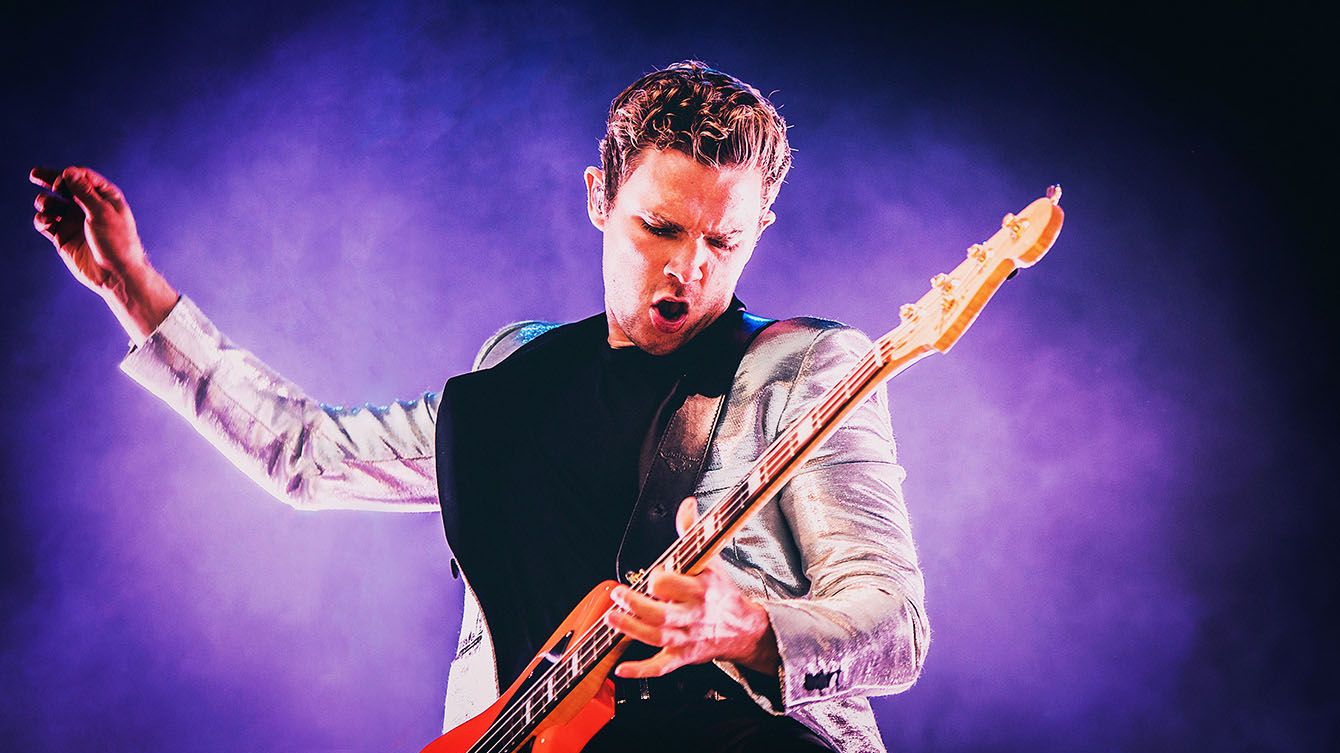
Mastering Concert Photography
By Mark Kaye, tour and concert photographer · Updated October 2026
Concert photography isn't just about getting a sharp picture of someone on a stage. It's about telling the story of the night: the artist, the crowd and the atmosphere that made it special. The lights change every few seconds, the performers never stand still and you're often working in near darkness, so it can feel overwhelming at first.
The good news is that once you understand a few key settings, it gets much easier. In this guide I'll share the settings I use on tour, the gear that matters, and the tips I wish someone had told me when I started.
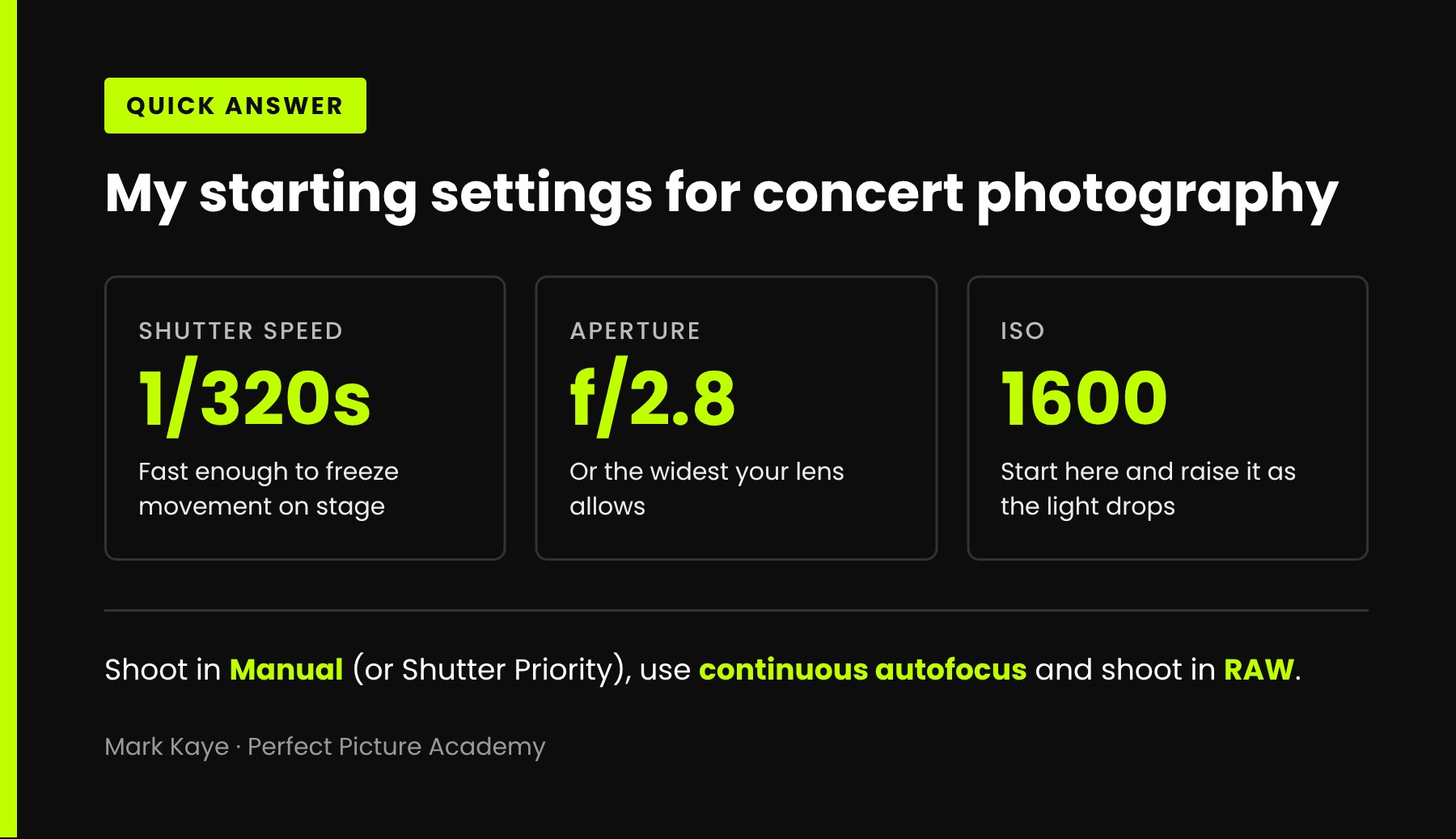
My starting settings for concert photography:
- Shutter speed: 1/320s, fast enough to freeze movement on stage
- Aperture: f/2.8, or the widest your lens allows
- ISO: start at 1600 and raise it as the light drops
Shoot in Manual (or Shutter Priority), use continuous autofocus and shoot in RAW.
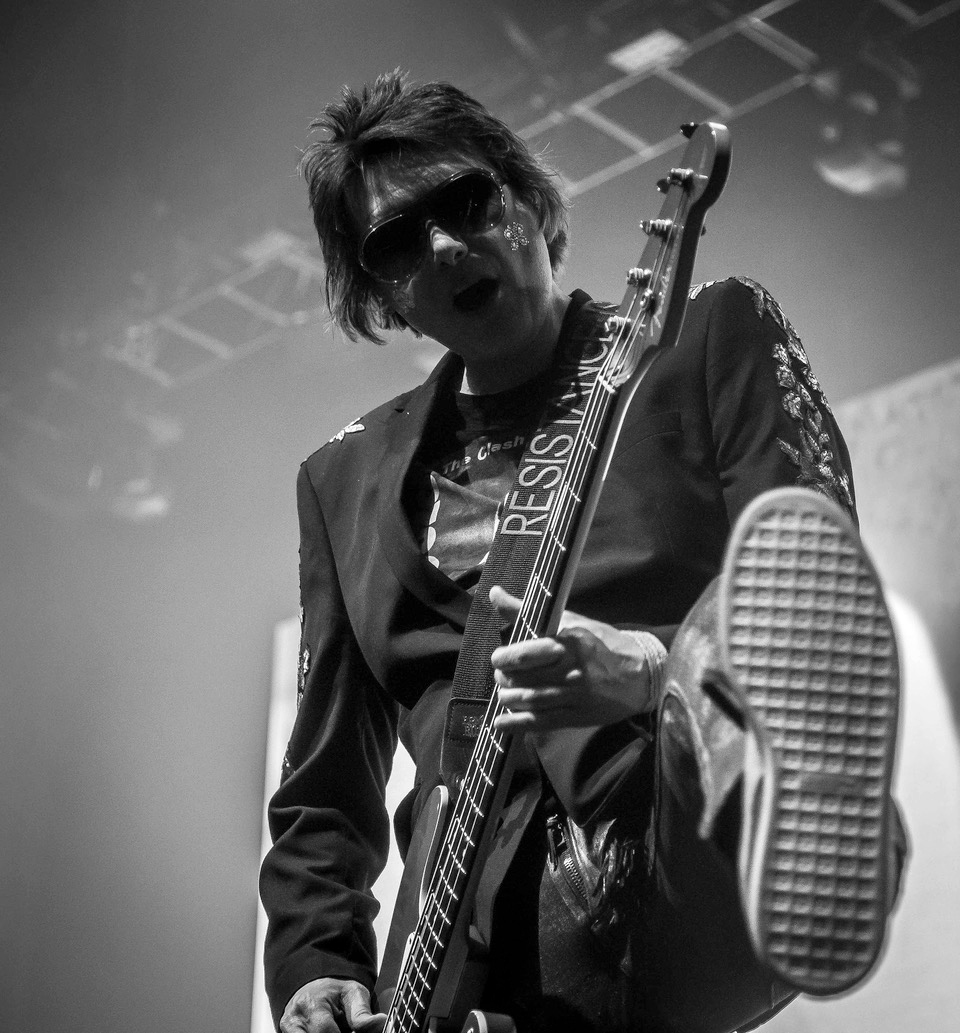
Shooting from low in the pit makes the kick feel like it's coming right at you. 1/320s, f/4, ISO 1600
The Essentials of Concert Photography
You don't need a bag full of expensive gear, but a few things make a big difference in low light:
- A DSLR or mirrorless camera with fast autofocus. Performers move quickly and the light is constantly changing, so your camera needs to lock focus fast.
- A fast lens. A lens with a wide maximum aperture, ideally f/2.8 or wider, lets in far more light.
- Plenty of fast memory cards. You'll shoot a lot of pictures in a short time.
What you don't need is a flash or a tripod. Most venues don't allow flash, and a tripod will only get in the way in a crowded pit.
The Importance of a Good Lens
If you're going to spend money anywhere, spend it on glass. A good lens matters more than the camera body, because it decides how much light reaches the sensor and how sharp your pictures are.
The Best Lenses for Concert Photography
For most gigs, two types of lens cover almost everything:
- A standard zoom (24–70mm or 24–105mm). Great for wider shots that show the stage, the band and the crowd.
- A telephoto zoom (70–200mm). Perfect for close-ups and expressions when you can't get near the stage.
On tour I carry two cameras, one with a 24–105mm and one with a 70–200mm, so I can switch between wide and tight without changing lenses in the dark.
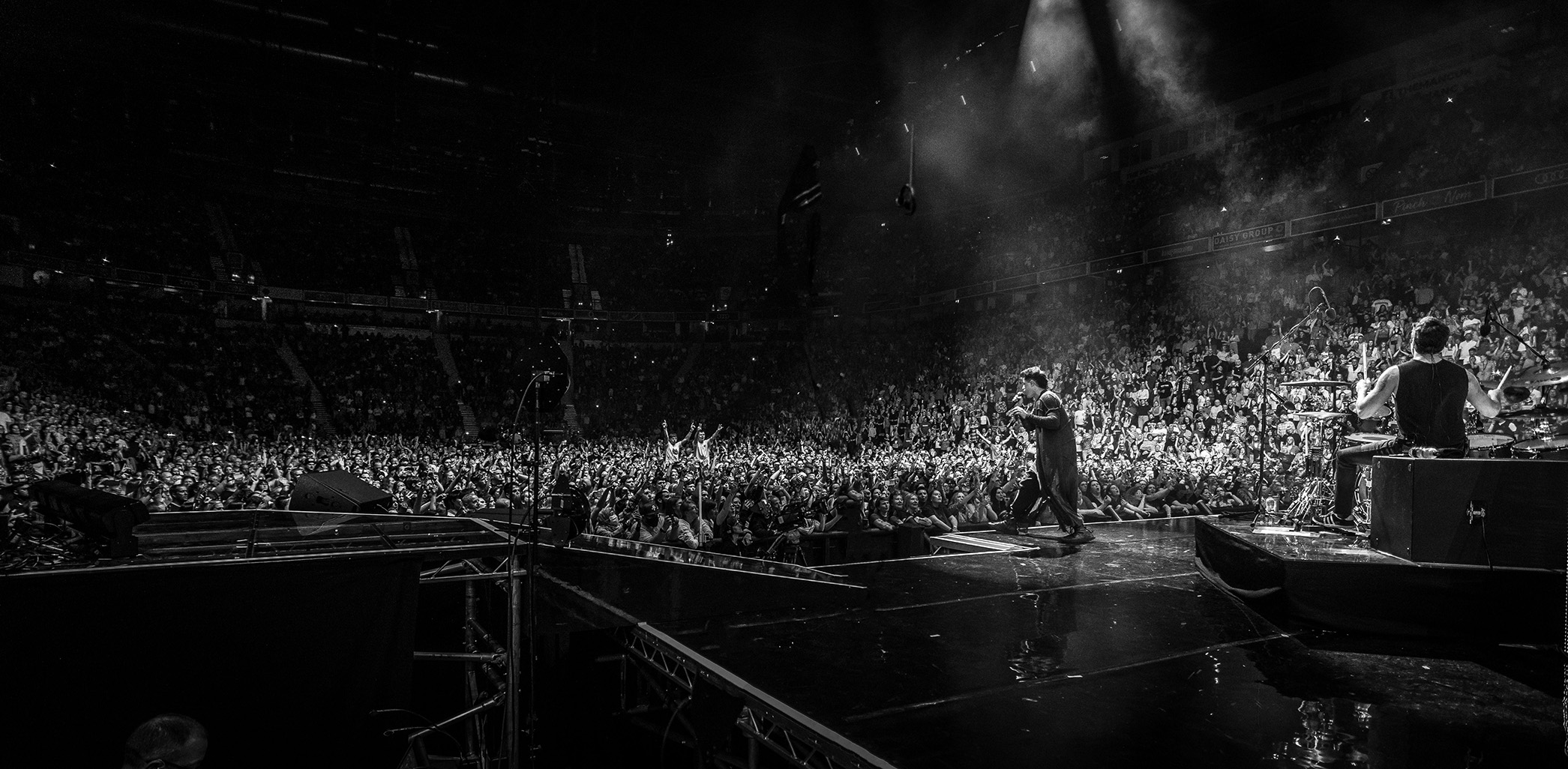
A wide lens tells the story of the whole night, not just the performer. 1/250s, f/4, ISO 1600
Factors to Consider When Choosing a Lens
- Maximum aperture. The wider, the better. f/2.8 is the sweet spot for zooms, and primes at f/1.8 or f/1.4 let in even more light.
- Image stabilisation. Helpful for keeping your own movement out of the picture, although it won't freeze a moving performer. Only a fast shutter speed does that.
- Focal length. Think about where you'll be standing. From the pit, 24–70mm works well. From further back, you'll want 70–200mm.
- Price. Fast lenses aren't cheap. Second-hand lenses from a reputable dealer are a great way to get better glass for less.
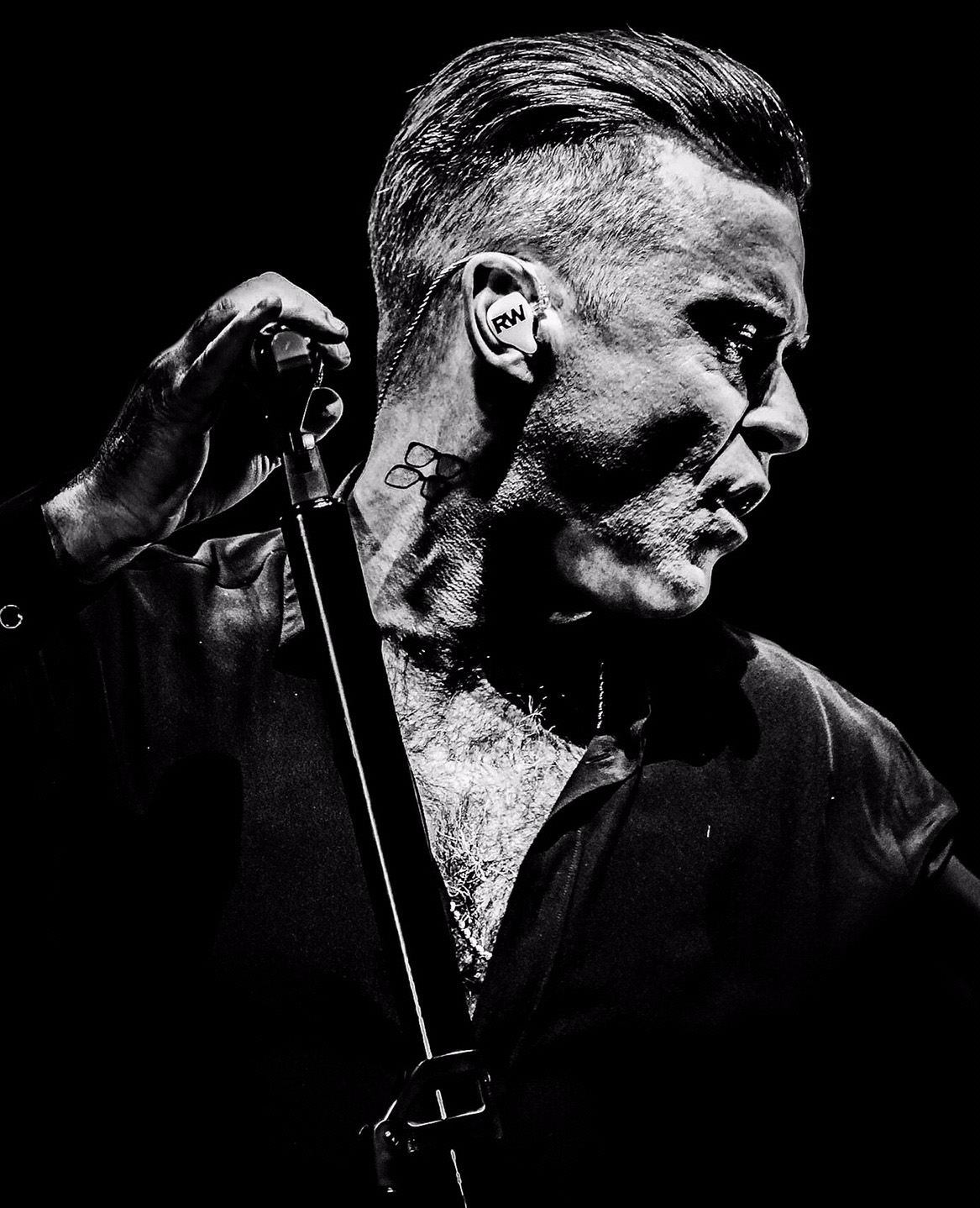
A longer lens lets you fill the frame with expression from the pit. 1/250s, f/2.8, ISO 2500
Memory Card Speed Matters
At a gig you'll be shooting bursts of pictures in RAW, and a slow card can stop your camera mid-moment while it catches up. Choose cards with a fast write speed and carry several. If one fails, you don't want it to hold the whole night's work.
Camera Settings for Concert Photography
Concert lighting changes every few seconds, so you need settings that give you a sharp picture even when the light drops. Here's where I start at every gig.
Shutter speed: 1/320s
Musicians move fast, and so do the lights. At 1/320s I can freeze a singer mid-move or a guitarist jumping off the riser. You can drop to 1/250s for slower songs, but much below that and you'll start to see blur.
Aperture: f/2.8 (or as wide as your lens goes)
A wide aperture lets in as much light as possible and softens a busy background, so the performer stands out. If your lens goes to f/1.8 or f/1.4, even better, just remember the depth of field gets very shallow. When the stage is well lit, f/4 works too, as some of the pictures in this post show.
ISO: start at 1600 and let it do the work
With your shutter speed and aperture fixed, ISO is the setting you adjust as the light changes. I start at 1600 and raise it when the stage gets darker. A little noise is far better than a blurry picture, and modern editing tools clean it up well.
Across the pictures in this post, my ISO ranged from 400 in front of a bright screen to 2500 in a dark arena, while my shutter speed and aperture hardly changed.
Want these settings worked out for you? Try my free Shot Meter.
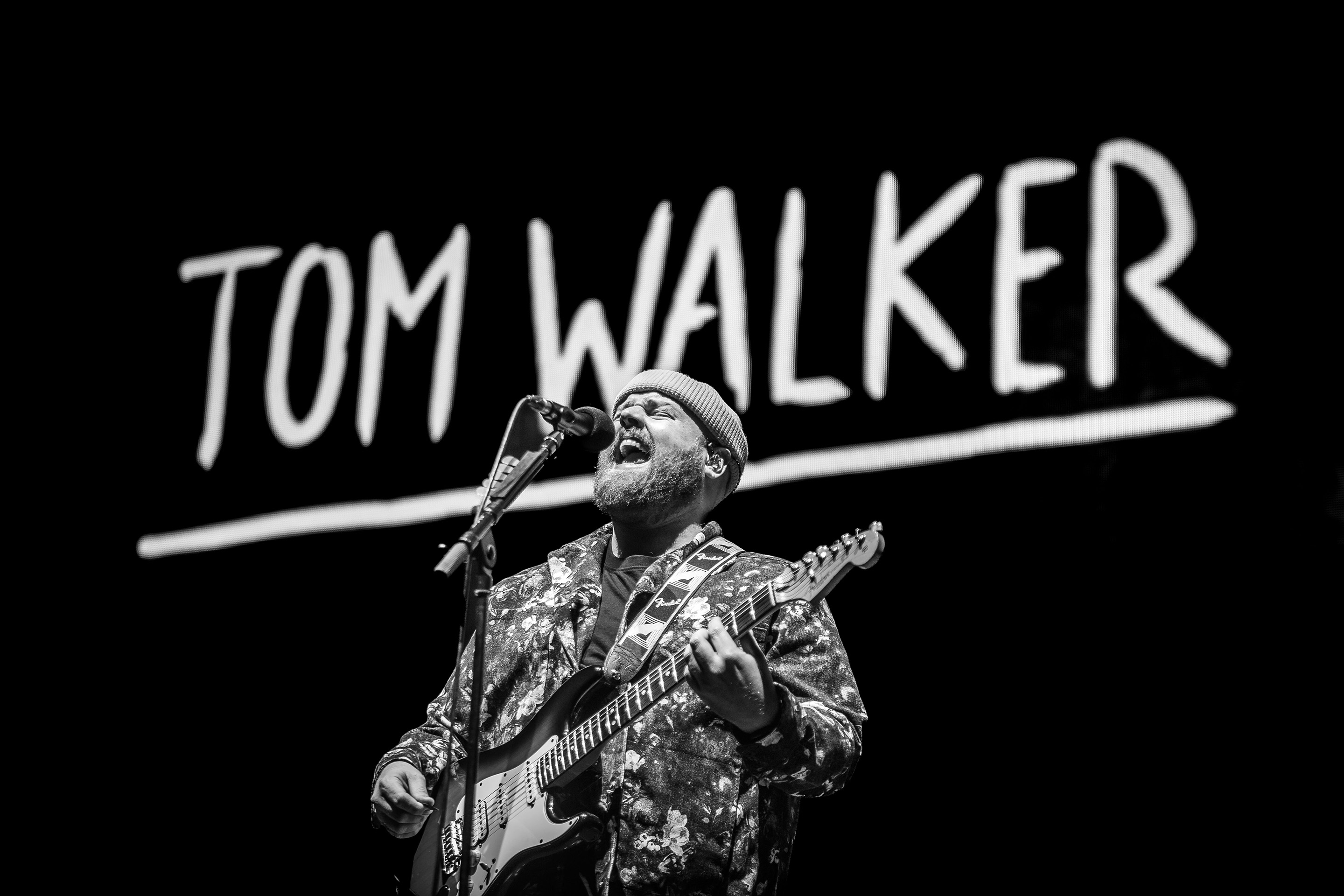
The bright screen behind him meant ISO 400 was enough. Let the light decide your ISO. 1/250s, f/2.8, ISO 400
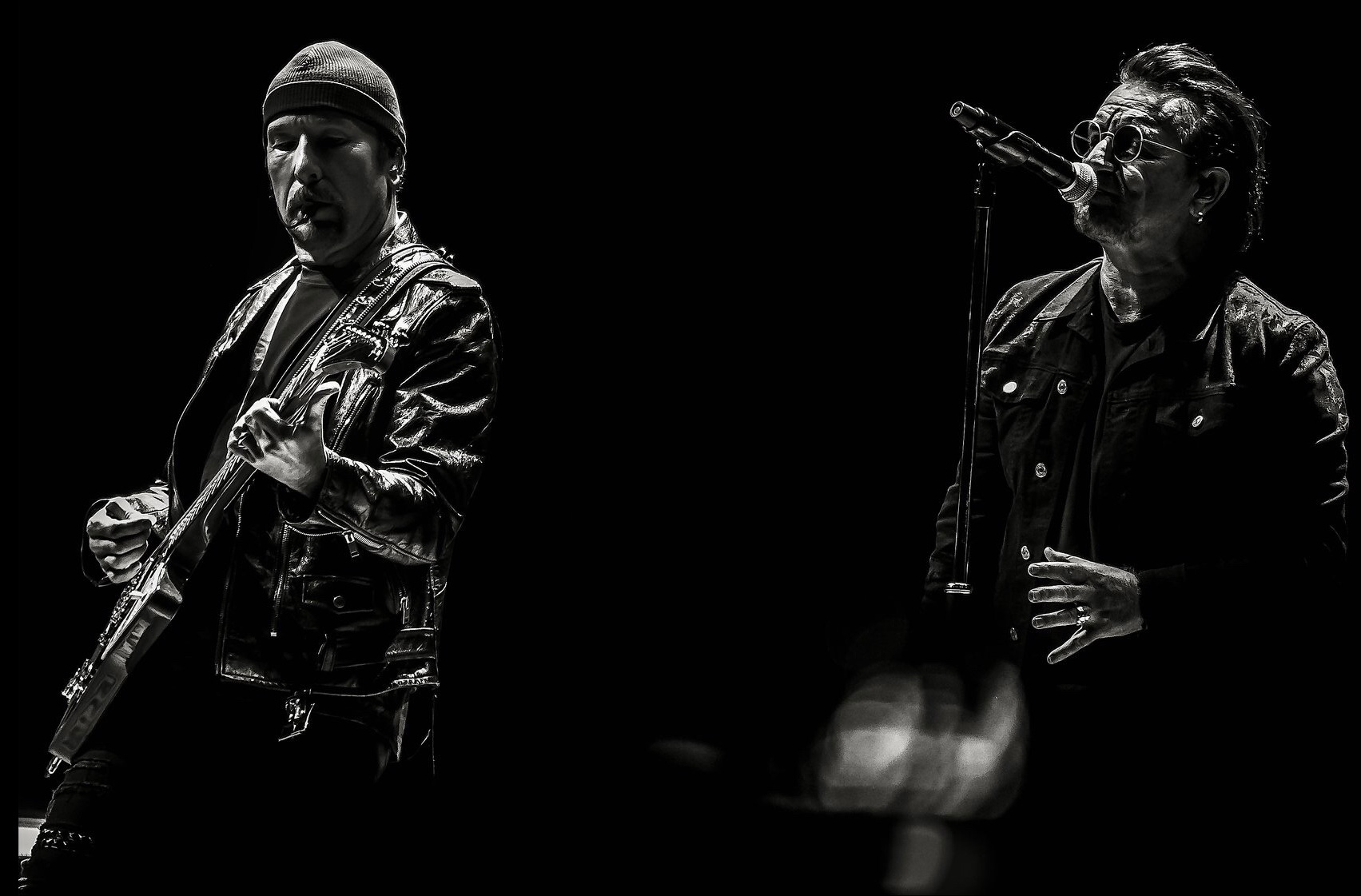
Two performers, two pools of light. Waiting for both to be lit at once is half the job. 1/320s, f/2.8, ISO 2500
Manual Mode vs Semi-Automatic Modes
I shoot in Manual. It gives me full control, and once my shutter speed and aperture are set, I only need to adjust ISO as the light changes.
If you're not comfortable with Manual yet, Shutter Priority is a great place to start. Set your shutter speed to 1/320s and let the camera choose the aperture, with Auto ISO switched on. You'll still freeze the movement, and you can move to Manual when you feel ready.
Tips for Concert Photography
- Use continuous shooting. Fire short bursts to catch the peak moment: the jump, the shout, the guitar raised in the air.
- Use spot metering. Stage lighting is extreme, with bright spotlights and dark backgrounds. Spot metering on the performer stops the camera being fooled by the darkness around them.
- Use continuous autofocus. AI Servo or AF-C keeps a moving performer sharp.
- Shoot in RAW. Coloured stage lights make white balance tricky, and RAW gives you far more room to fix it later.
- Watch the light, not just the artist. Lighting often follows a pattern through a song. Learn it, and you'll know when the perfect moment is coming.
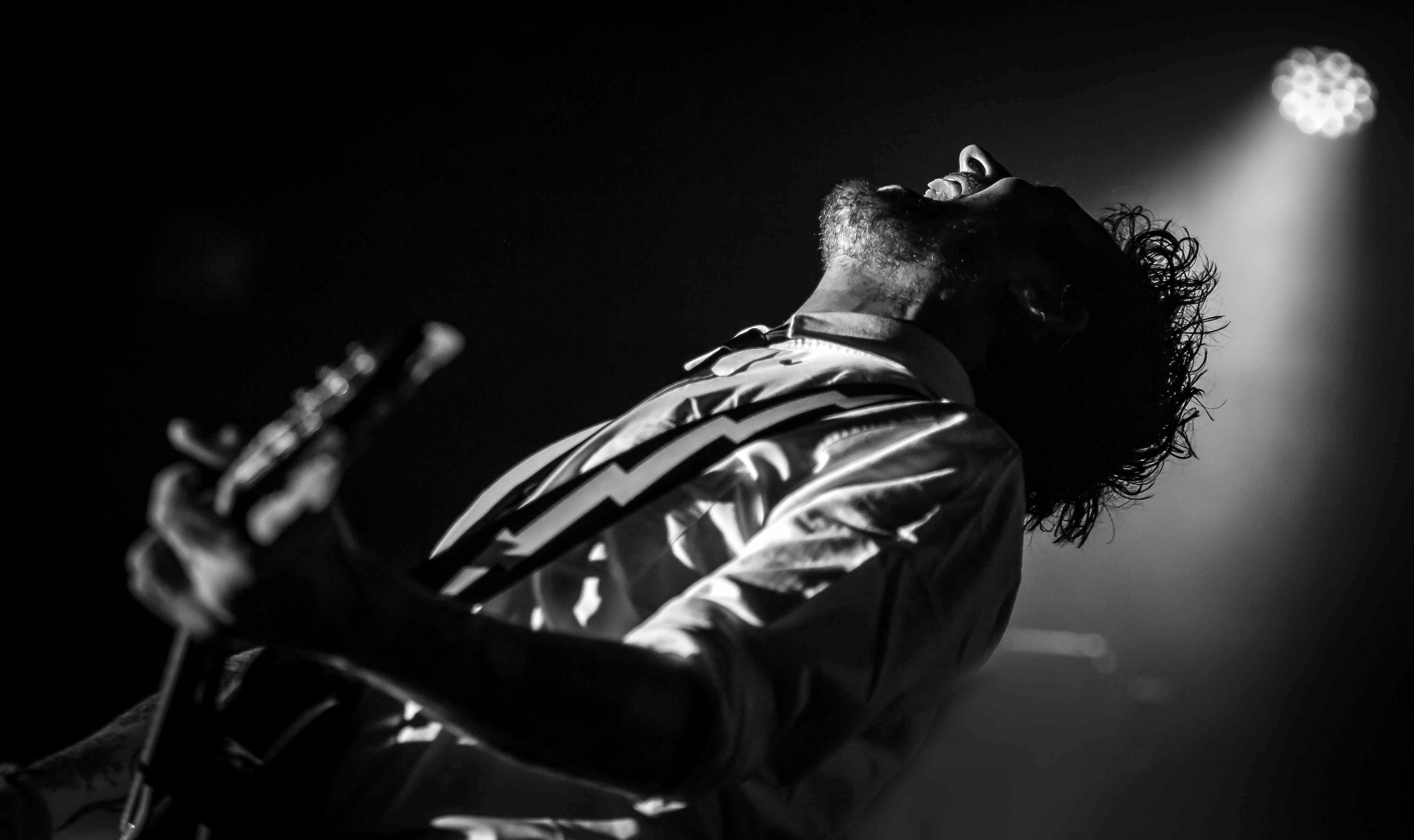
One spotlight and a dark stage. Exposing for the highlights keeps the background black. 1/500s, f/2.8, ISO 1000
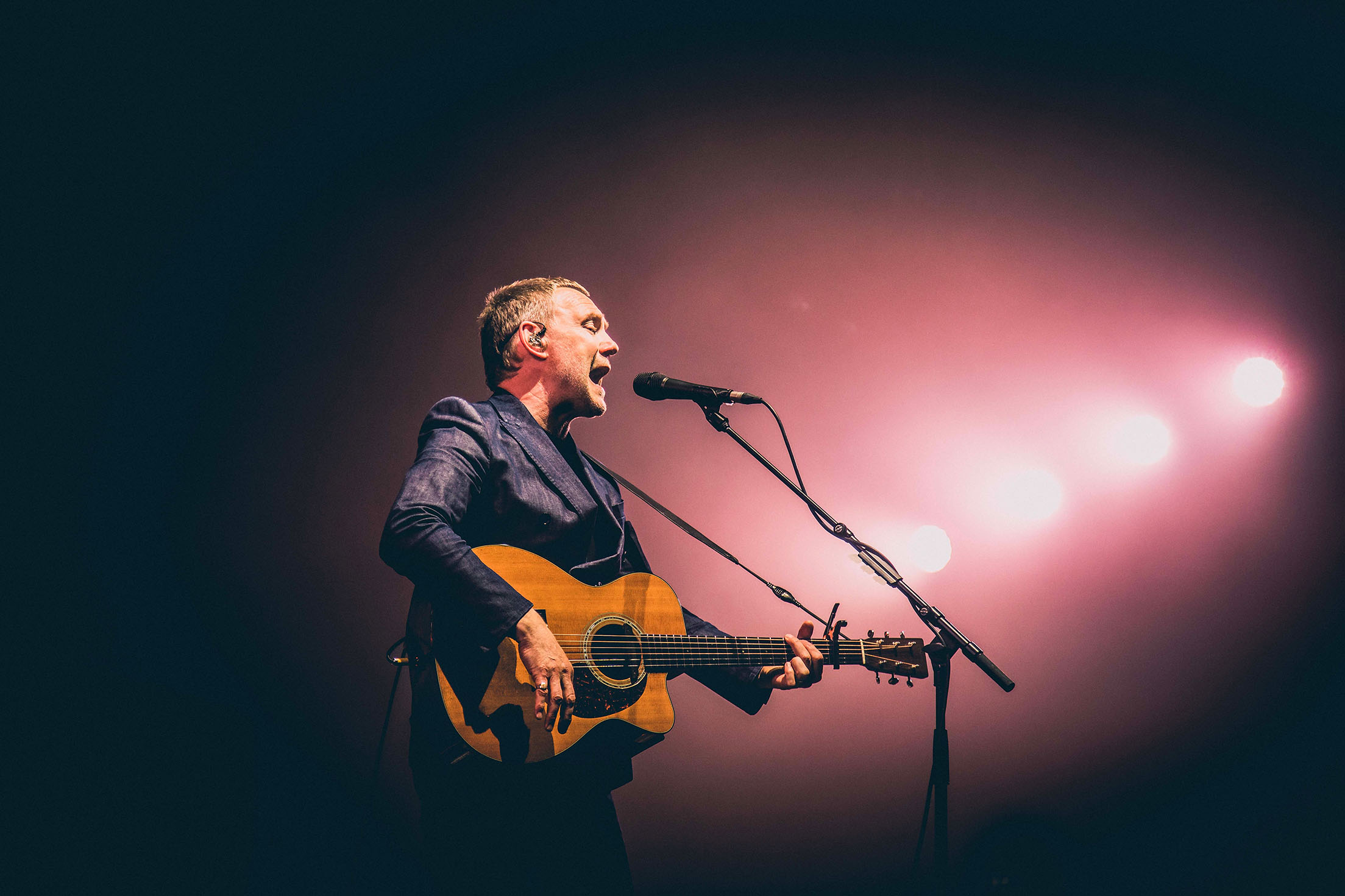
Coloured stage light is where shooting RAW pays off. It gives you room to correct the colour later. 1/250s, f/4, ISO 800
Shooting a Gig on Your Phone
Most people at a gig have a phone in their hand, and you can still get pictures you're proud of with one.
- Turn the flash off. It won't reach the stage and it distracts everyone around you.
- Tap and hold on the performer to lock focus and exposure, then drag the brightness down slightly so the stage lights don't blow out.
- Don't pinch to zoom. Digital zoom throws away detail, so get as close as you can and crop later.
- Use burst mode to catch the peak moment, then keep the best frame.
- If your phone has a Pro or manual mode, try the same idea as a camera: a fast shutter speed and let ISO rise.
FREE PHOTO PIT CHECKLIST
Heading to a gig with your camera?
What I check and bring before every show: gear, settings and mindset, on one page you can keep on your phone.
Do You Still Need a Photo Pass?
Many bigger venues only let you bring a professional camera with a photo pass, but cameras keep getting smaller and better. A good compact camera or phone can now produce pictures that would have needed a pass a few years ago. Wherever you're shooting, check the venue's camera policy before you go, and respect the people around you who are there to enjoy the show.
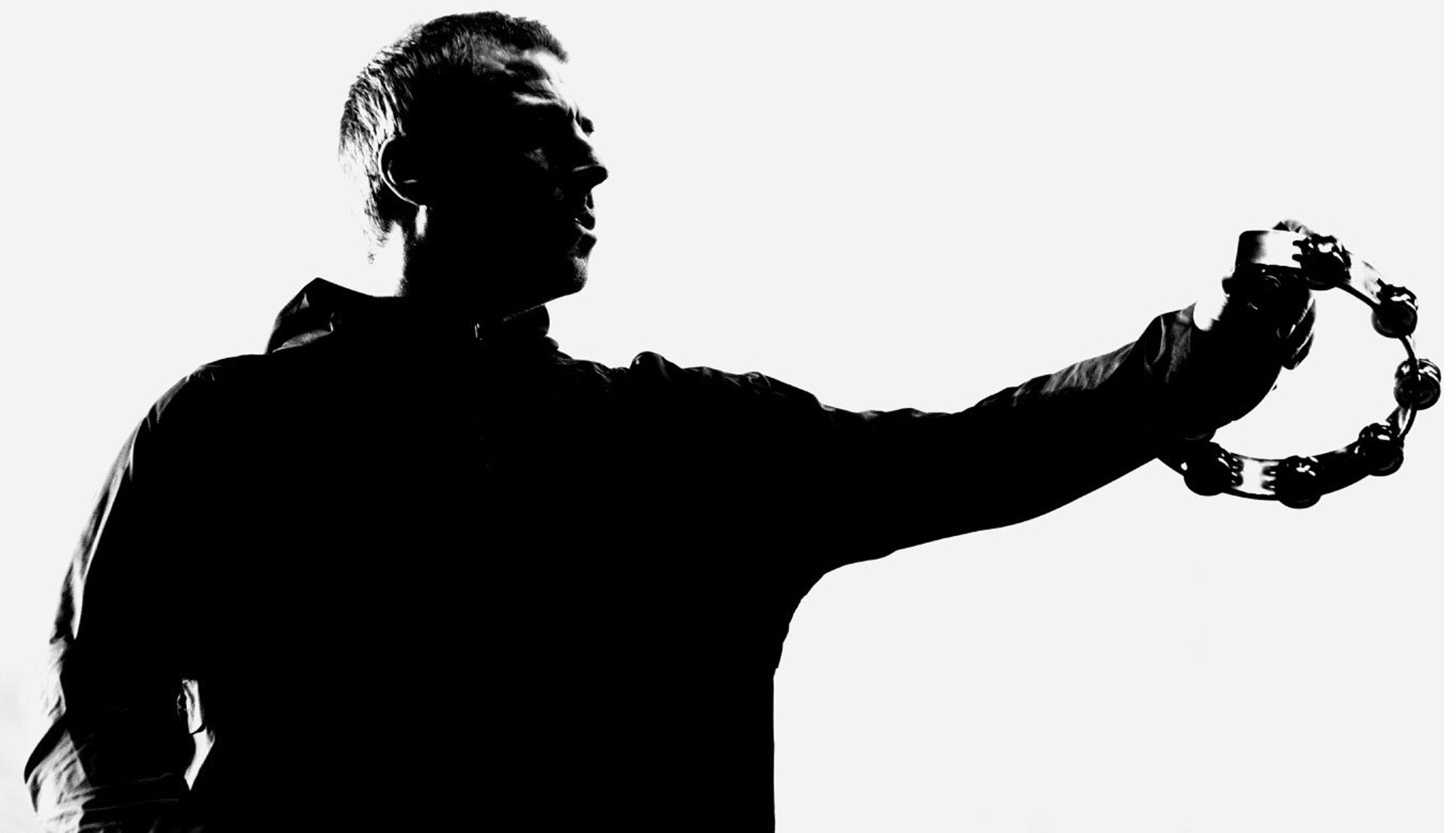
When the light is behind the performer, a silhouette can be stronger than a lit face. 1/320s, f/2.8, ISO 1600
Final Thoughts
Concert photography is challenging, but it's also one of the most rewarding kinds of photography there is. Start with 1/320s, f/2.8 and ISO 1600, shoot in RAW, and let ISO rise as the light drops. Then go and practise. Every gig teaches you something new about light, timing and the moments worth waiting for.
Frequently Asked Questions
Can I use flash at a concert?
Usually not. Most venues and photo pits don't allow it, and it distracts the artist and the audience. A wide aperture and a higher ISO will get you a better picture anyway.
Why are my concert photos blurry?
Most often the shutter speed is too slow for the movement on stage. Set it to 1/320s and raise your ISO to keep the exposure right. Continuous autofocus (AI Servo or AF-C) helps keep a moving performer sharp.
What's the best ISO for concert photography?
There isn't one fixed number, because the light keeps changing. I start at 1600 and raise it as the stage gets darker. Don't be afraid of a high ISO; noise is easier to fix than blur.
Do I need a photo pass to take pictures at a concert?
It depends on the venue and the artist. Many smaller venues are happy for you to bring a camera, while larger venues often only allow phones or compact cameras without a pass. Always check the venue's policy before you go.
Should I shoot concerts in RAW?
Yes. Stage lighting is full of strong colours, and RAW gives you far more room to correct white balance and recover shadows when you edit.
Take this into the photo pit
My free Photo Pit Checklist puts everything in this post on one page: the settings, the gear and the habits I rely on at every gig.
Free Camera Settings Checklist
Want a simple reminder of the settings that matter, for gigs and everything else? Get my free Camera Settings Checklist, plus one practical photography email a month.
Get Your Free Camera Settings Checklist
Know exactly what to check before every shot, so you never miss an important setting again. Free, straight to your inbox.
No spam, ever. Unsubscribe any time. Our Privacy Policy is linked at the bottom of this page.