
Why Are My Pictures Blurry? 6 Common Causes (And How to Fix Them)
A student in one of my programs sent me a message recently that made me laugh, because I remembered feeling exactly the same way. She said, "I've taken over 200 pictures this week and maybe five of them are actually sharp. Is something wrong with my camera?"
Nothing was wrong with her camera. Nothing is ever really wrong with the camera. Blurry pictures are almost always caused by one of a small handful of things, and once you know what to look for, you can fix the problem in seconds, not months.
If you've ever taken what felt like the perfect shot, only to zoom in later and find it's just slightly soft, this one's for you. Let's go through the most common culprits, one by one.
1. Your Shutter Speed Is Too Slow
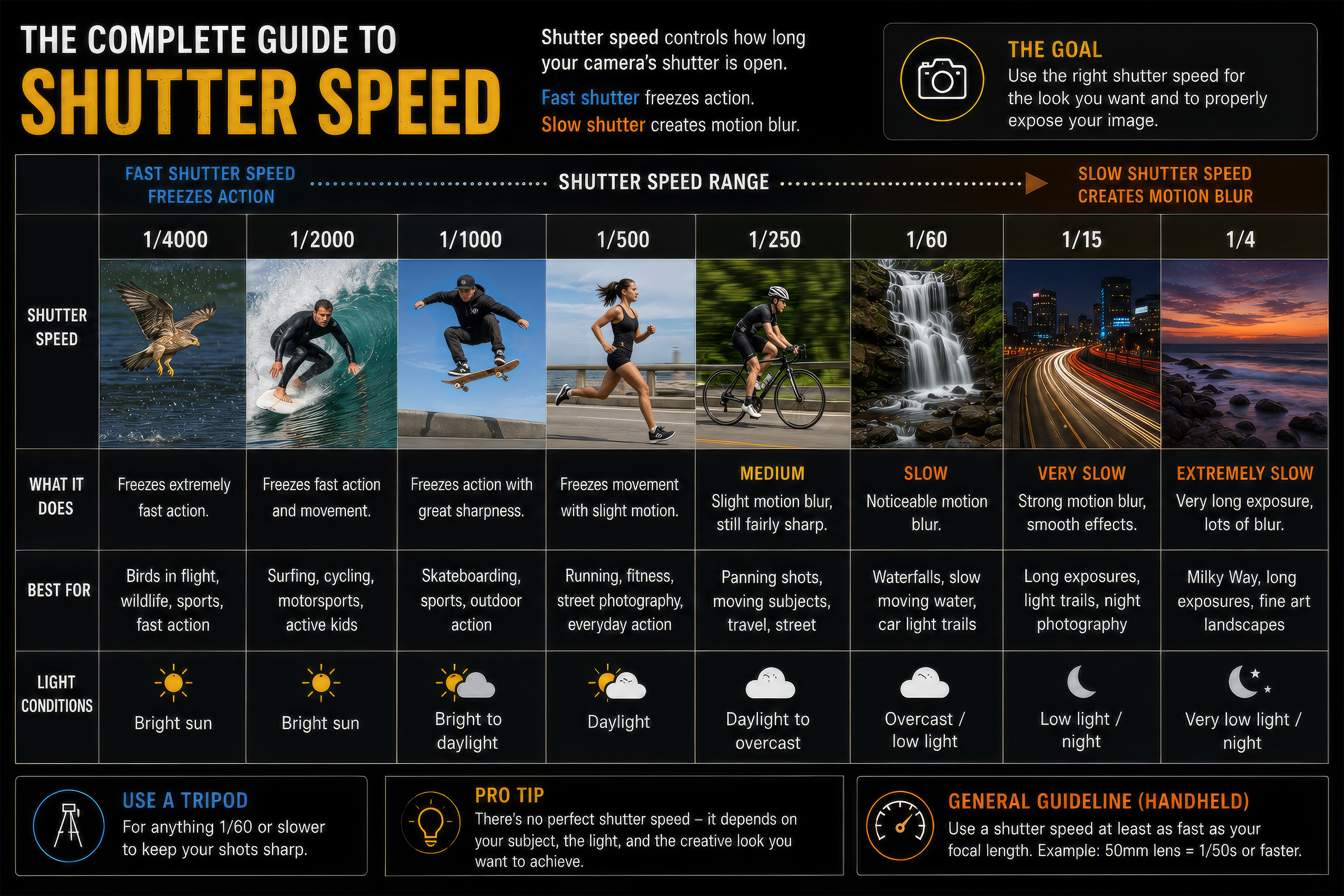
This is, by far, the number one cause of blurry pictures, and it comes back to something I talk about in my blog on the exposure triangle. Shutter speed controls how long your camera's sensor is exposed to light. If your shutter is open too long, and either your subject moves or your hands shake even slightly, that motion shows up in the picture as blur.
There's a simple rule of thumb photographers have used for decades: your shutter speed should be at least as fast as one over your focal length. So if you're shooting with a 50mm lens, you want your shutter speed to be at least 1/50th of a second, ideally faster. If you're shooting a moving subject, like a kid running around or a dog chasing a ball, you'll want your shutter speed considerably faster than that, often 1/500 or quicker.
2. Your Focus Landed on the Wrong Spot
Sometimes a picture isn't blurry because of camera shake, it's blurry because the autofocus locked onto the wrong thing. This happens constantly with portraits. You focus on your subject, but the camera actually grabs focus on the background, or on their shoulder instead of their eyes, and the part of the picture you actually care about ends up soft.
The fix here is to stop letting your camera decide for you. Use single-point autofocus and manually move that point over your subject's eye before you take the shot. It takes an extra second, but it's the difference between a picture that looks amateur and one that looks intentional.

3. You're Shooting with Too Wide an Aperture
A wide aperture, something like f/1.8, gives you that beautiful blurry background everyone loves. But it also gives you an extremely thin depth of field, which means only a tiny sliver of your picture will actually be in sharp focus. If you're photographing a person and you focus on their nose instead of their eyes, at f/1.8 their eyes might already be soft.
This isn't a mistake, it's physics, but it catches people off guard constantly. If you're new to shooting wide open, try narrowing your aperture slightly, to something like f/2.8 or f/4. You'll still get a nicely blurred background, but you'll have more room for error with your focus.

4. Camera Shake from Handholding
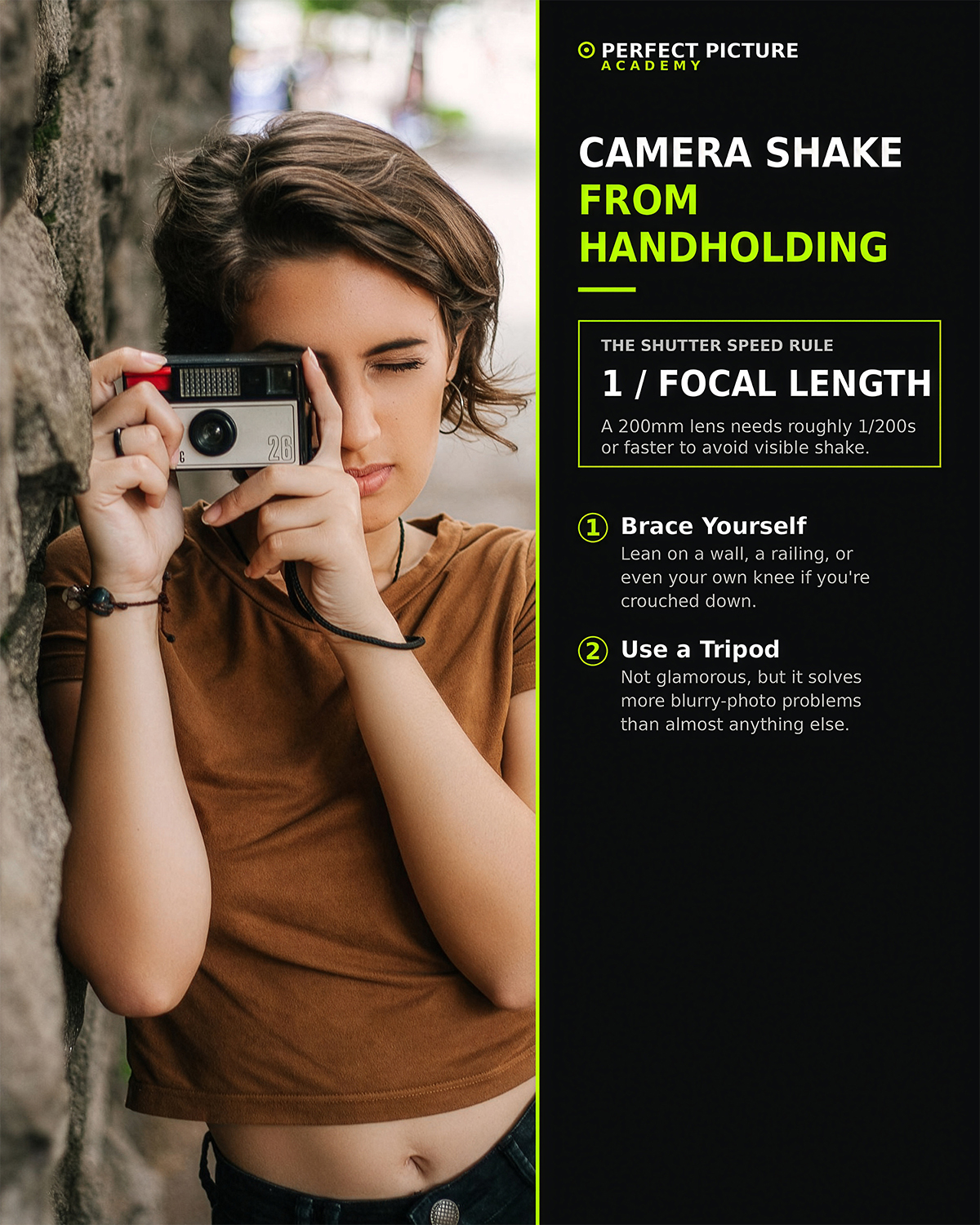
Even rock-steady hands move more than you'd think, especially the longer your lens is. A telephoto lens amplifies every tiny wobble, which is why that same shutter speed that looked sharp with a 24mm lens might look shaky with a 200mm lens.
If you're shooting in lower light and can't speed up your shutter without raising your ISO too high, brace yourself against something solid, a wall, a railing, your own knee if you're crouched down. Better yet, use a tripod whenever the situation allows. It's not glamorous advice, but it solves more blurry picture problems than almost anything else on this list.
5. Your ISO Is Pushing the Picture Into Noise
This one's a bit different, because it's not technically "blur," it's noise, but at a glance the two can look identical, especially on a small phone screen. When you push your ISO too high, especially on older or entry-level cameras, the resulting grain can make an otherwise sharp picture look soft and mushy once you zoom in or view it at full size.
If your pictures look sharp on your camera's little screen but soft once you get them onto your computer, check your ISO. You may have been compensating for low light by cranking it higher than your camera can comfortably handle.
6. You Moved the Camera During the Exposure
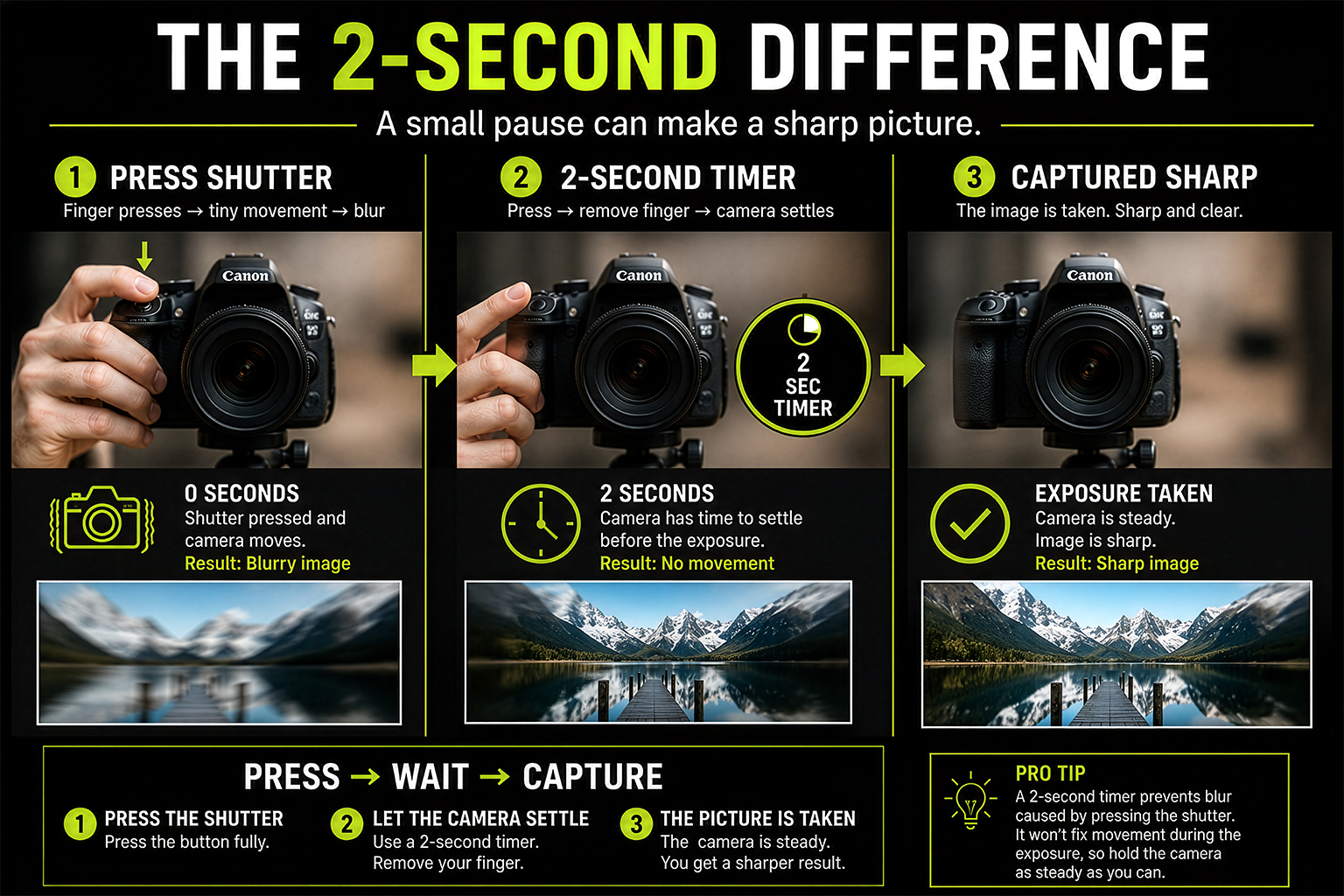
This sounds obvious, but it happens more than people admit. The moment right after you press the shutter button is when most camera shake occurs, because your finger physically pressing down creates a tiny jolt. In good light this barely matters, but in lower light, where your shutter is open longer, that little jolt is enough to soften the whole image.
A simple fix is to use a two-second timer, even when you're not using a tripod. It forces a small gap between pressing the button and the photo actually being taken, giving the camera time to settle.
Final Thoughts
Here's the good news. Blurry pictures feel like a mystery until you know what to look for, and then they stop being a mystery entirely. Next time you get a soft shot, run through this list. Was your shutter speed fast enough? Did your focus land where you wanted it? Were you shooting wide open? Were you handholding in low light? It's almost always one of these things, and once you can diagnose the cause, fixing it becomes second nature.
Sharp pictures aren't about luck, and they're definitely not about needing a more expensive camera. They come from understanding a small handful of settings and habits, and applying them consistently.
Ready to take pictures you're proud of?
Start with my free Camera Settings Checklist. It shows you exactly what to check before every shot, so you never miss an important setting again.
When you're ready to go further, Premium teaches you my SIMPLE system step by step, so you can take pictures you're proud of with the camera you already own.
Get Your Free Camera Settings Checklist
Know exactly what to check before every shot, so you never miss an important setting again. Free, straight to your inbox.
No spam, ever. Unsubscribe any time. Our Privacy Policy is linked at the bottom of this page.